About the "Cards"
This section helps you manage virtual cards. You can issue new cards, view summaries of existing cards, manage limits, and control card status. All information is organized in an easy-to-use table with filters and visual status indicators.
Filters
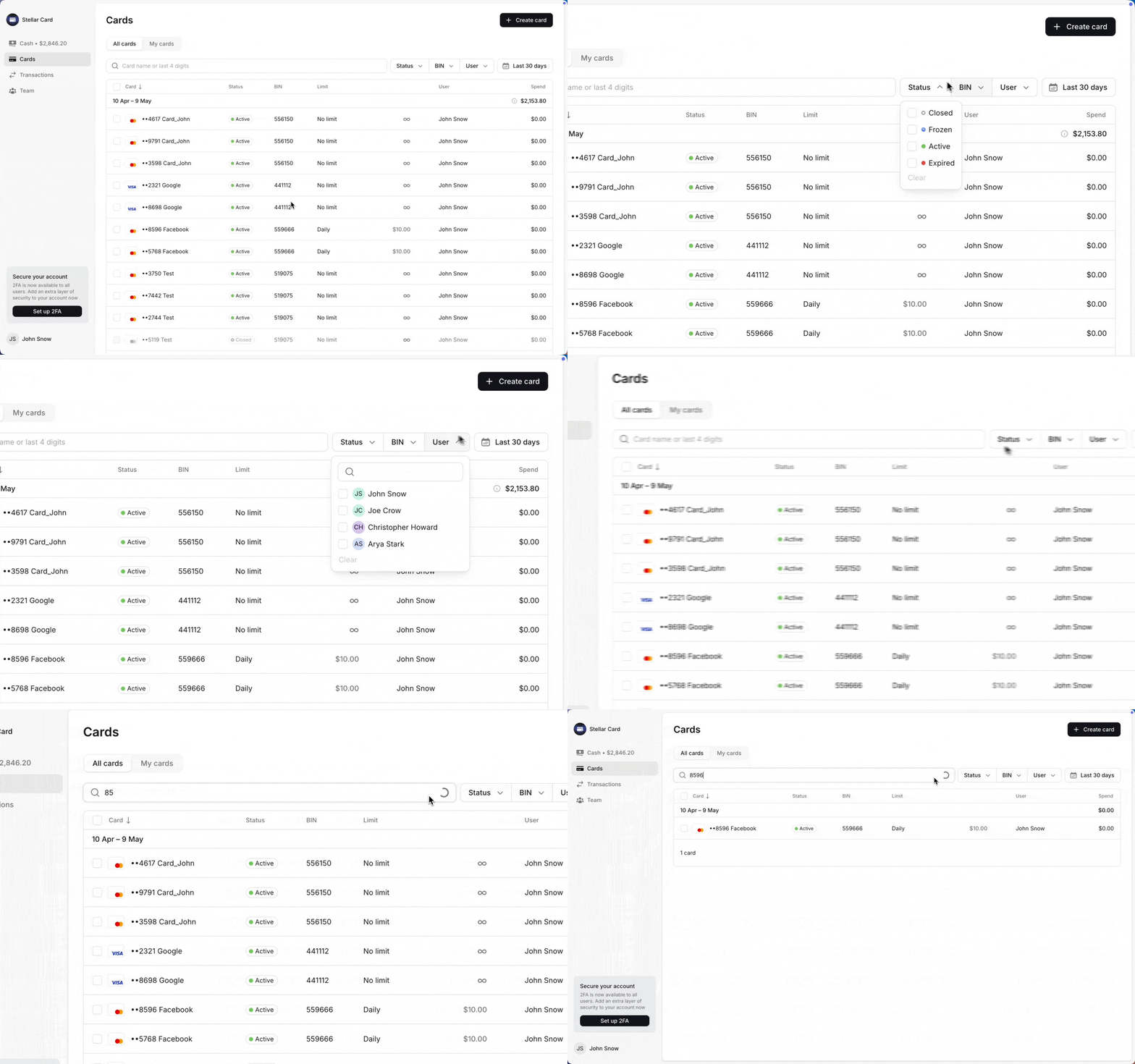
Filters help you quickly narrow down the list and find the cards you need — perfect for managing multiple users and cards.
You can filter by:
Card status — active, frozen, closed or expired;
BIN — the one the card was issued on;
User — see who currently owns the card;
Dates — affects only the spend statistics.
There’s also a search bar where you can find a card by the last four digits or its name.
Table
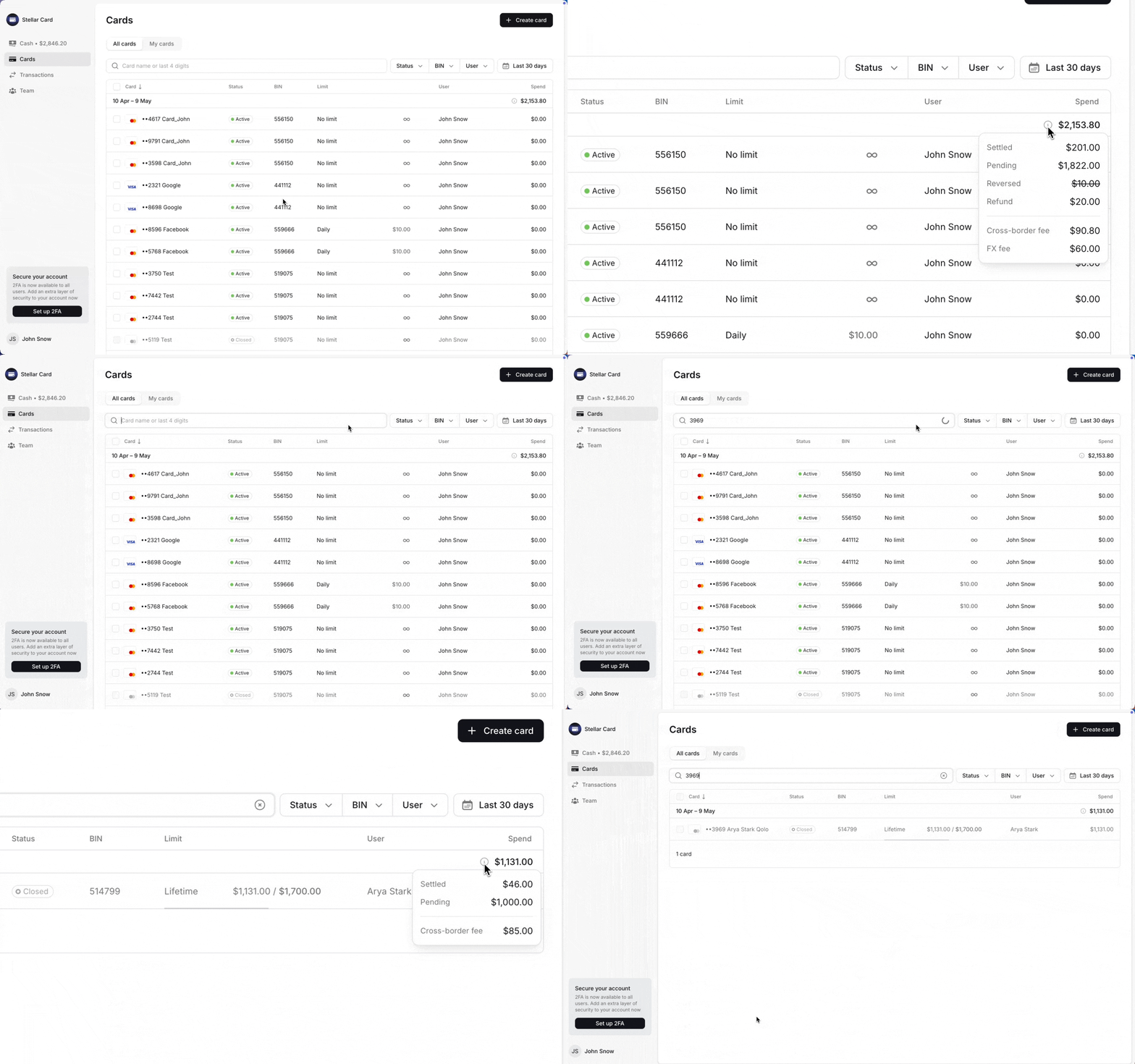
The table shows all issued cards. Each row includes:
Last 4 digits and card name;
Payment system (Visa or MasterCard);
Status;
BIN;
Type, amount, and remaining limit;
Current cardholder;
Spending for the selected period;
The table automatically updates as you apply filters. You can sort the data by either issue date or spending amount.
Card Statuses
There are four activity statuses:
Active — fully operational. All transactions are allowed, and you can edit the card name, adjust limits, or transfer it to another user.
Frozen — temporarily disabled. No transactions are allowed, and the card cannot be edited or transferred. You can reactivate it when needed.
Closed — permanently deactivated. No actions are available, and it cannot be restored.
Expired — The validity period has ended. The card is inactive and can only be closed.
Even when a card's status is changed, merchants may still attempt to charge it. If the card is inactive, all incoming transactions will be declined — resulting in an increased Decline Rate.
We recommend removing all unused cards from advertising accounts to prevent unexpected charges.